The live experience
The Arena for the gym, the player page for every phone, the photo card for Instagram — what the session shows while it’s being played.
The Arena
The Arena is the session’s living scoreboard: app.setrally.com/your-club/your-event/live. Who’s playing, on which court, game by game, who’s up next — and it refreshes itself. It’s the public page: the link or its QR code goes up at the gym entrance, gets shared with parents in the stands, lands in the group chat.
In a team league every court card names the pair on court, with the club small underneath: eight courts of one encounter carry the same two clubs, and without the lineup the board would print the same card eight times. With no lineup entered, the club names hold the card.
Between sessions, the Arena shows the season standings. In a league with fixed divisions it splits them into one block per division — each with its own 1st — instead of a single list that would mix everyone together: chapter 5.
A session can be locked with a PIN: without it, the page reveals only the date. Handy when the league prefers to keep things among itself.
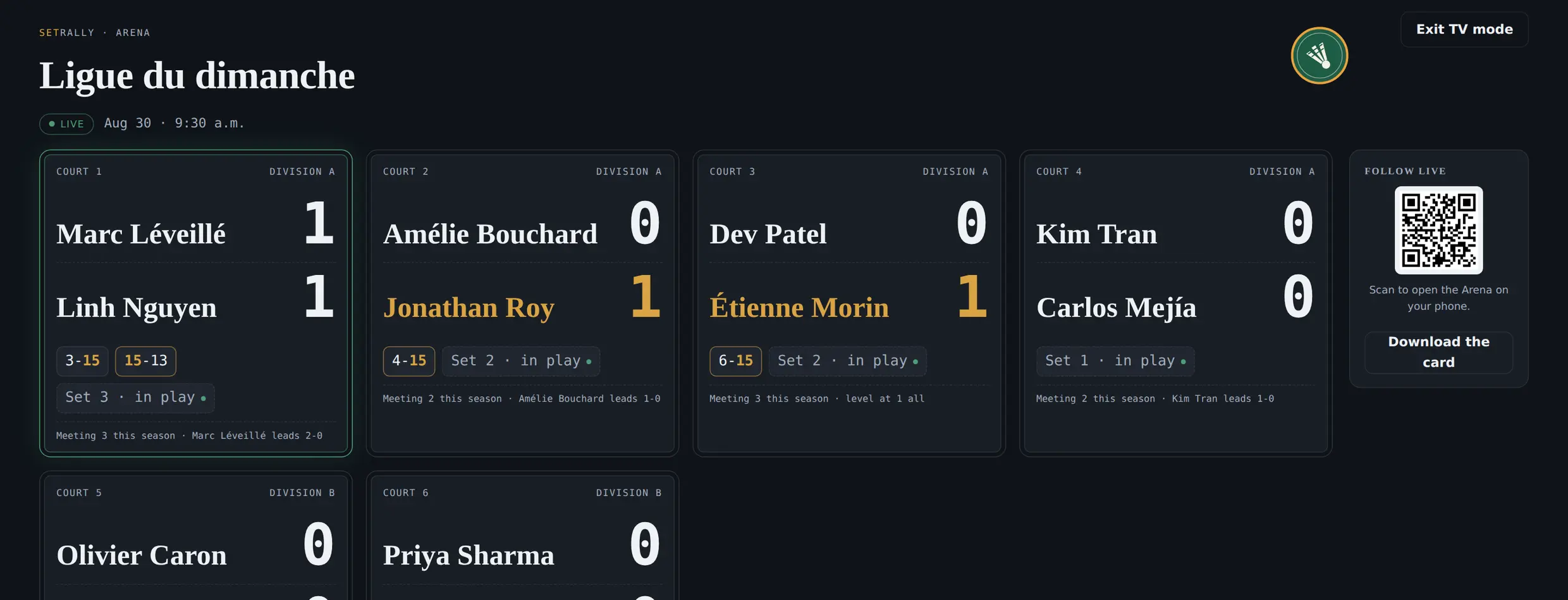
TV mode
A television or projector in the gym? TV mode takes the Arena full-screen, readable from the back of the hall. When a score lands, it takes over the screen for a beat — the whole gym sees the 21–15 as it locks.
“You’re up! Court 3”
No more shouting names over the rallies. A player opens the Arena, picks their team, and keeps the phone in their pocket: when their court frees up, a green banner tells them — with a chime and a buzz. The board becomes the room’s silent organizer.
The player page
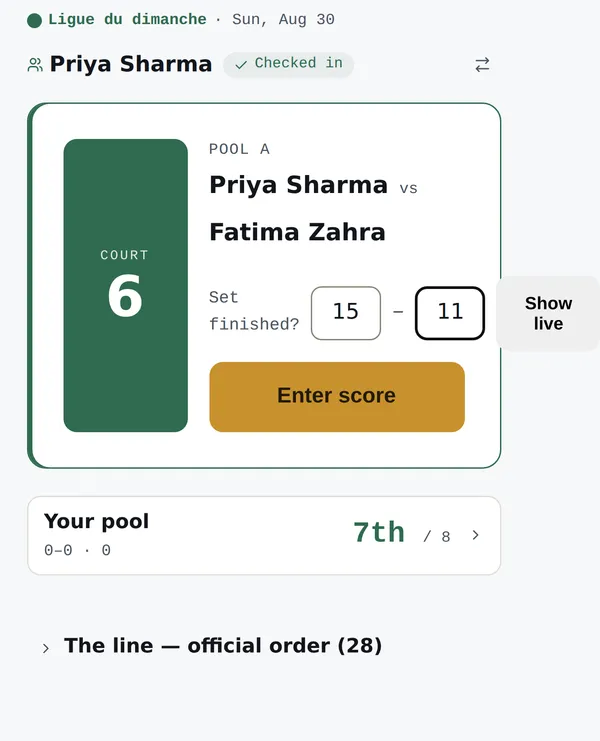
Every player gets their own view of the session: today’s scores, their session points, their place in the queue, then — once their matches are done — their verdict for the night. It’s the page your players will check the most; it lives at the same links they already have, no account needed.
The player photo card
Session over, the player page offers: Make my card. The player takes a photo — or picks one — and gets a story-sized image: their photo, their rank, their scoreline, the club crest. Two styles: the full card, or the transparent sticker to lay over their own photo in Instagram.
Everything composes on the player’s phone — the photo never leaves the device, nothing is uploaded. And every card that lands in a story is your club’s name travelling exactly where your next players already are.
The card offers itself at the right moment: as soon as the player finishes their last match, before the bag is packed. Nothing for you to run — the invitation is on their page.